

Common Symptoms of a Faulty Charging Flex
- No charging indicator: The phone fails to respond entirely when plugged in.
- Intermittent charging: You have to hold or wiggle the cable at a specific angle to get power.
- Slow charging or no data sync: PC transfers fail, or the device takes an unusually long time to charge.
- Microphone failure: Callers cannot hear you, as the primary microphone is integrated into this sub-board.
What is Included in the Part?
Depending on where you purchase it, the part generally comes in two variations:
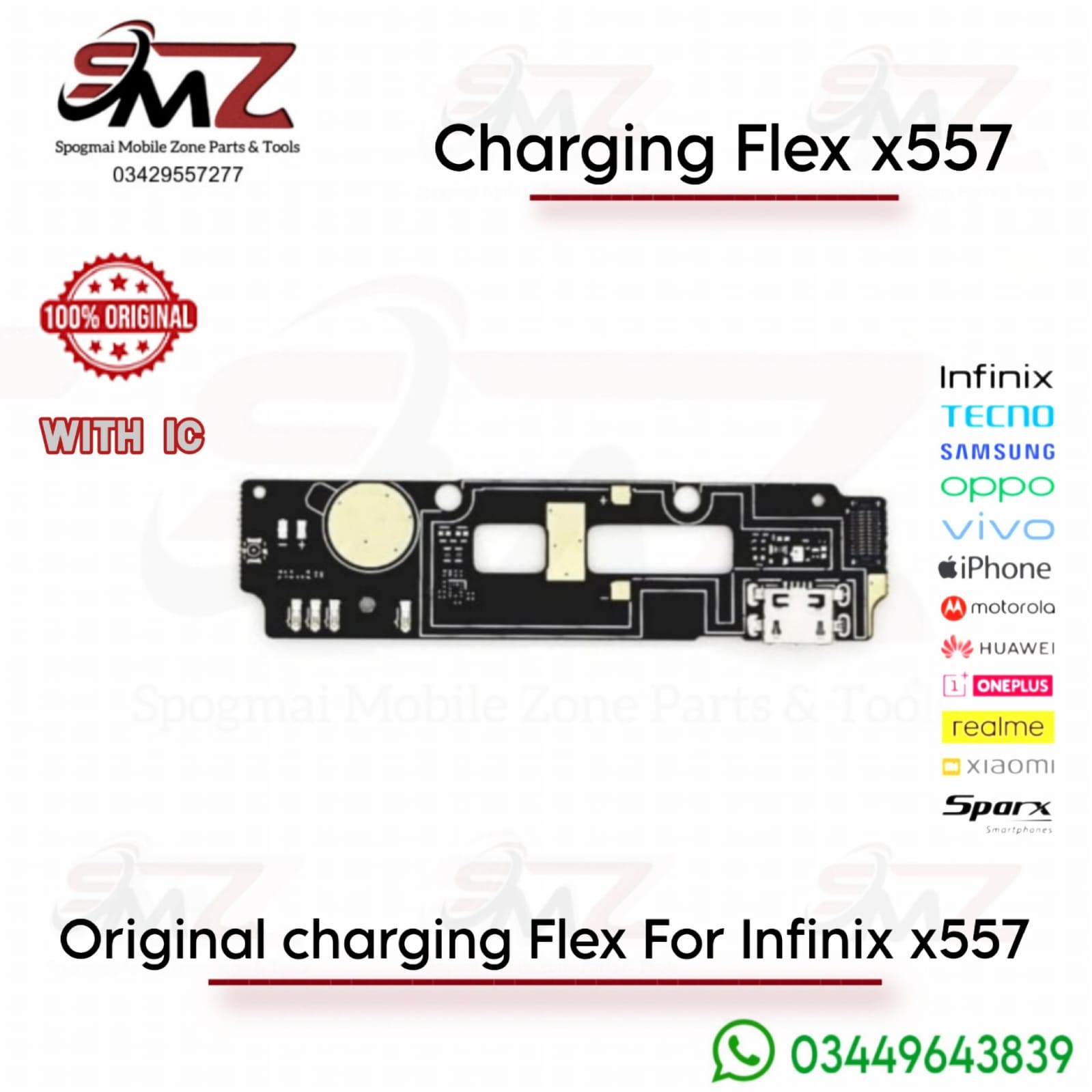
- Full Charging Board Module (Recommended): A small PCB board that includes the Micro-USB dock, microphone, and connection ports. This requires no soldering and can be simply screwed in and plugged into the main ribbon cable.
- Loose Port Connector Only: Just the silver Micro-USB socket. This requires a repair technician to perform precise micro-soldering onto your existing board.
Installation Tips
- Test Before Final Assembly: Power down the phone, plug the new flex cable into the motherboard, and connect a charger to verify it works before gluing or screwing the phone back together.
- Mind the Antenna Cable: Be gentle when disconnecting and reconnecting the small blue/black coaxial antenna cable attached to this board, as tearing it will ruin your cellular signal.
- Static Safety: Discharge your body’s static electricity by touching a grounded metal object before touching the internal phone components to avoid shorting the motherboard.

Reviews
There are no reviews yet.