

⚙️ Technical Specifications & Compatibility
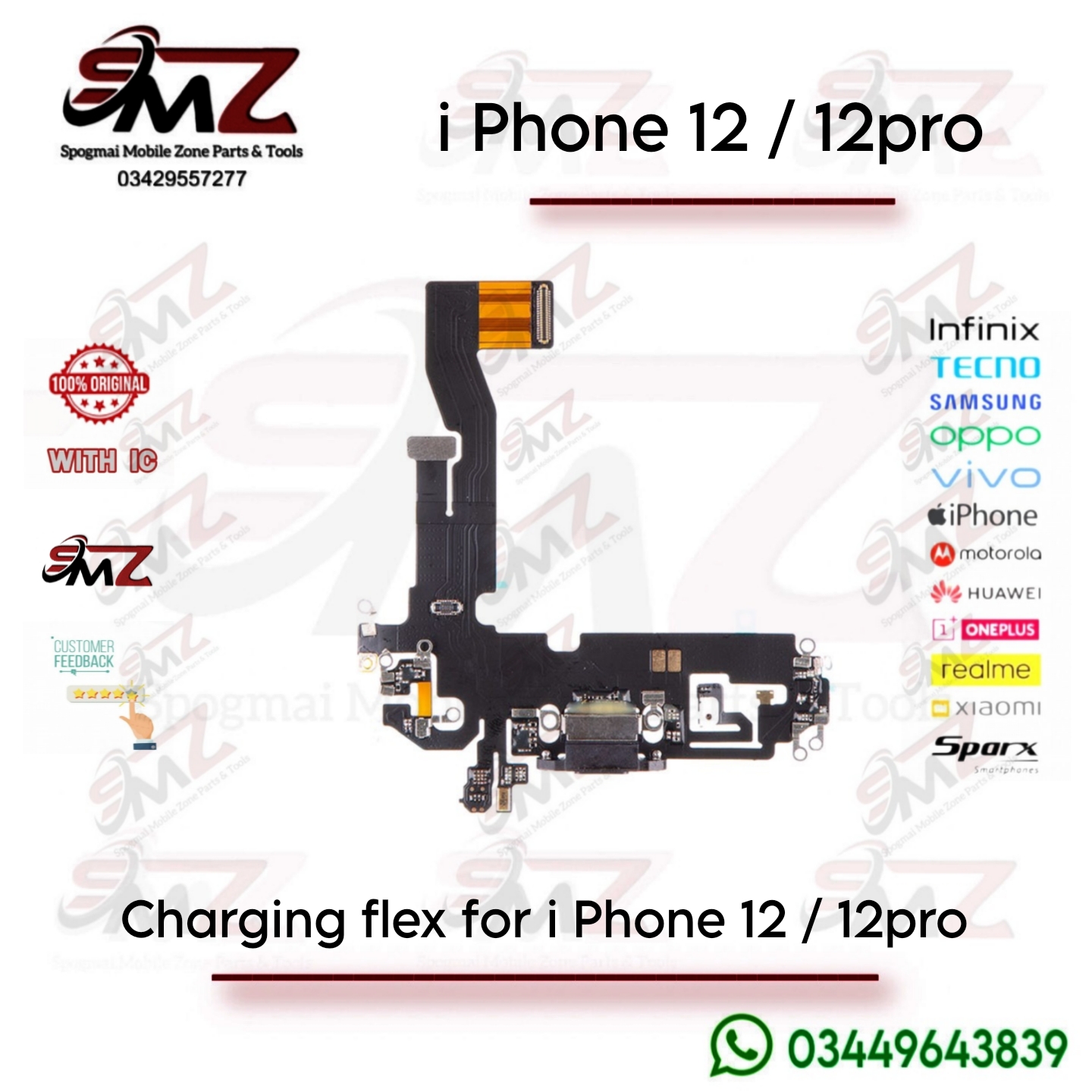
The charging port flex is a multi-component ribbon assembly that houses the Lightning data/charging port dock connector, the main bottom microphone, and cellular antenna circuit traces.
-
- Apple Part Number: 821-02627
- Full Model Compatibility:
-
- iPhone 12: A2172, A2402, A2403, A2404
- iPhone 12 Pro: A2341, A2406, A2407, A2408
-
- Color Variations: The exterior-facing plastic trim inside the port aligns with the phone’s color (e.g., Graphite/Black, Silver/White, Gold, Pacific Blue).
⚠️ Common Symptoms of Failure
You typically need to replace this entire assembly if the phone experiences:
-
- Charging & Sync Failures: The phone charges slowly, doesn’t register a cable, or only connects when the cable is held at a specific angle.
- Physical Wear: Bent or corroded pins inside the port, or a loose connector feel when plugging in.
- Microphone Issues: People cannot hear you clearly during standard calls, or the Voice Memos app records complete silence.
- Boot-Looping (Important Note): Using cheap aftermarket flex cables frequently causes a 3-minute automatic restart loop. Sourcing a “genuine pulled” or premium OEM part is heavily recommended to avoid this software trigger.
🛠️ Repair & Installation Overview
Replacing the flex is considered an intermediate-level repair. It does not require any soldering but involves taking out several core components.
- Screen & Power: Remove the bottom pentalobe screws, heat the perimeter to soften the water-resistance adhesive, open the screen, and disconnect the battery immediately to avoid electrical shorts.
- Lower Components: You must remove the lower loudspeaker assembly and the Taptic Engine (vibrator motor) to gain full access to the bottom of the case.
- SIM Reader & Logic Board: Pop out the physical SIM card tray and unscrew the modular SIM reader board to uncover the flex layout.
- Removal & Replacement: The flex is firmly glued down. Apply minor heat or isopropyl alcohol to loosen the adhesive backing before gently prying it up. Secure the new flex via its press-fit connector directly to the logic board.

Reviews
There are no reviews yet.