

1. Integrated Components
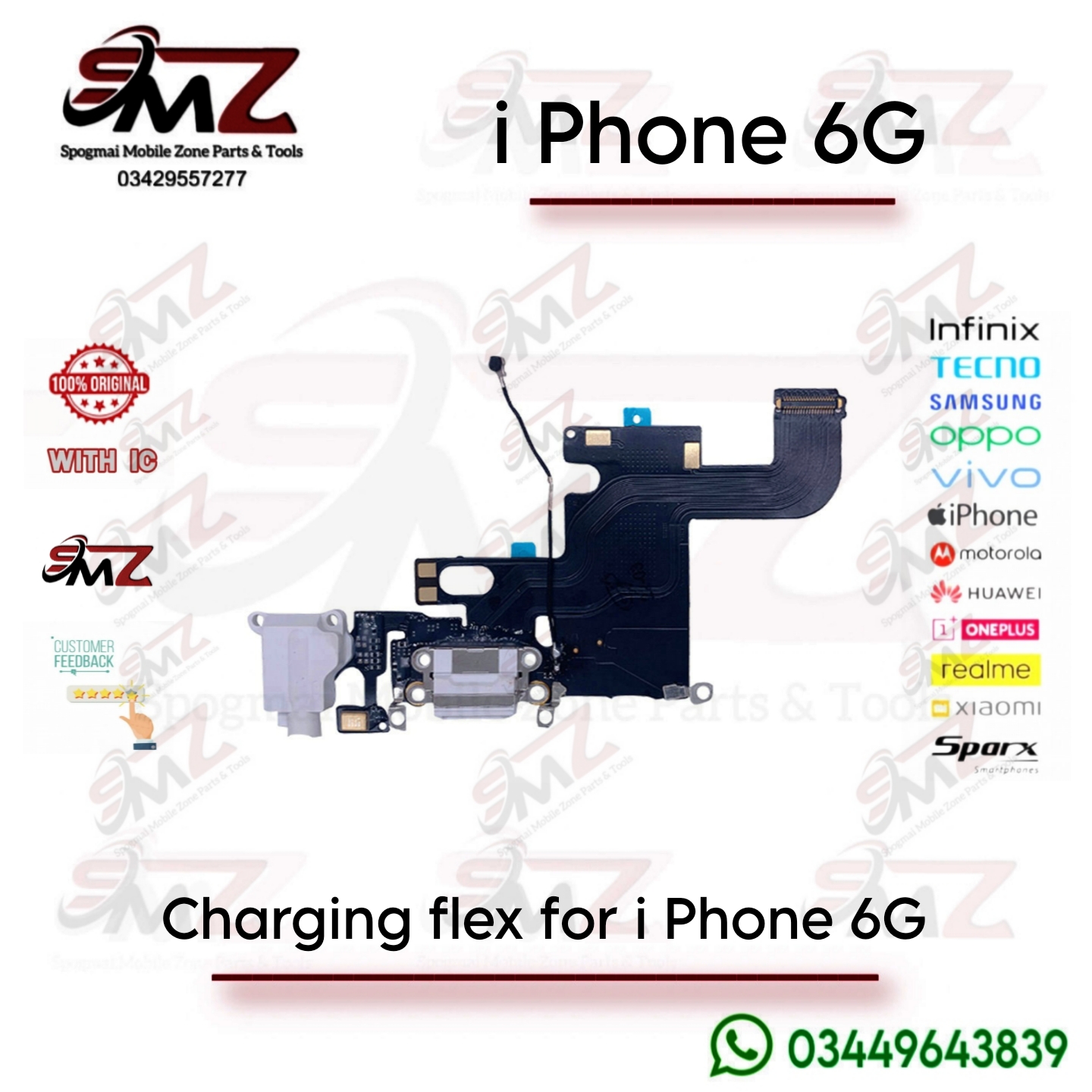
The charging flex ribbon is not just for power; it is an all-in-one assembly that controls multiple critical functions. If you replace this ribbon, you are replacing all of the following components simultaneously:
- Lightning Charging Dock: Receives power from the Lightning cable and manages wired data synchronization with computers.
- Primary Microphone: The bottom microphone used for cellular voice calls, voice memos, and audio dictation.
- 3.5mm Headphone Jack: Processes audio output for auxiliary connections and wired headphones.
- Cellular Antenna Contacts: Connects the logic board to the bottom antenna wire for cellular signal reception.
- Loudspeaker Spring Contacts: Transfers audio signals from the motherboard down to the lower speaker unit.
2. Common Symptoms of a Failing Flex Cable
You likely need to replace this part if your iPhone 6 exhibits any of these issues:
- The phone fails to charge or only charges when the cable is held at a specific angle.
- iTunes or a computer fails to recognize the phone when plugged in.
- People cannot hear you during normal phone calls, but they can hear you on speakerphone (speakerphone uses a different top microphone).
- No sound comes through wired headphones, or the phone gets stuck in “Headphone Mode”.
- You frequently see the error message: “This accessory may not be supported.”
3. Color Variants
The charging flex cable comes with color-matched plastic borders around the ports to blend seamlessly with the exterior color of the phone:
- Space Gray (Black): Features a dark gray/black interior lining around the Lightning port and headphone jack.
- Silver (White): Features a white interior lining.
- Gold: Features a white/gold tinted lining.
4. Technical Specifications & Replacement Tips
- Compatibility: This part is exclusively for the iPhone 6 (4.7″) and cannot be used interchangeably with the iPhone 6 Plus, 6s, or 5 series.
- Installation Difficulty: Moderate. The repair requires removing the screen, disconnecting the battery, and extracting the loudspeaker and Taptic Engine vibrator.
- Crucial Step: The original flex is held down by strong adhesive. When installing a new one, make sure to peel off the integrated adhesive backing and meticulously align the mic and headphone jack pins with the phone frame holes before pressing it down. Missing rubber gaskets or metal grounding clips from the old cable should be transferred to the new one to prevent signal drops.



Reviews
There are no reviews yet.